
# 디스크추가
-- 디스크추가 --
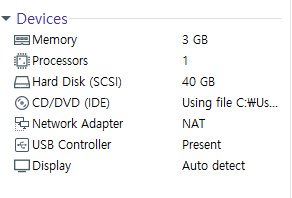
시스템이 꺼져있는 상태에서 왼쪽에 있는 디바이스 창에서 아무거나 클릭하면
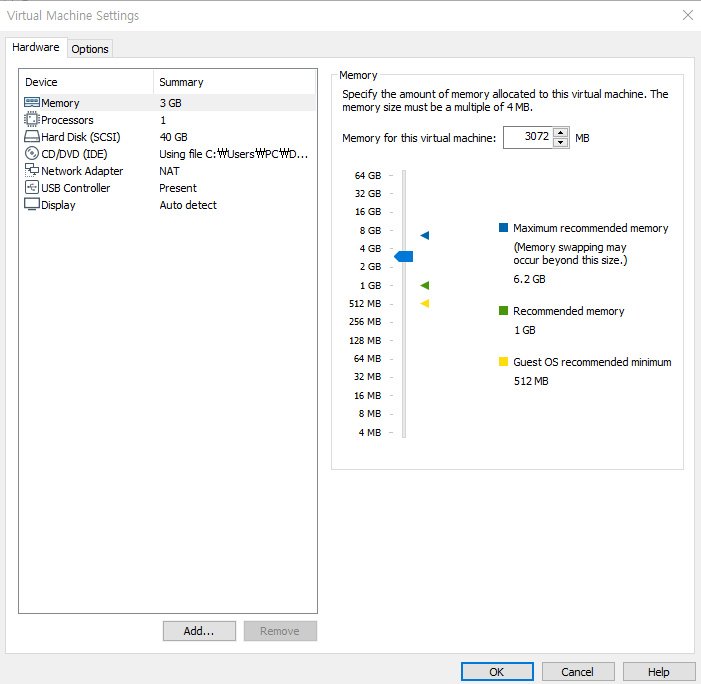
이 창이 뜨게 됩니다. 여기서 왼쪽 아래에 있는 ADD를 클릭하게 되면

이런 창이 나옵니다. 하드디스크를 클릭한다음 NEXT를 누릅니다.
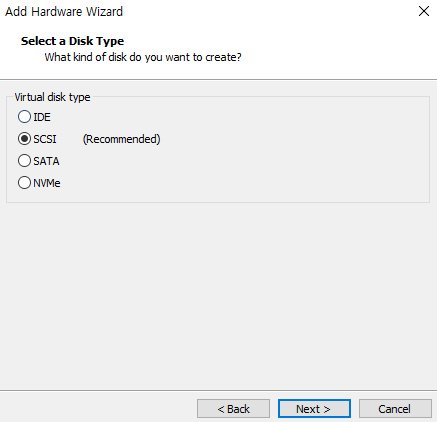
SCSI를 체크한다음 NEXT를 누릅니다. 다음창에서 또 다음으로 넘어간후
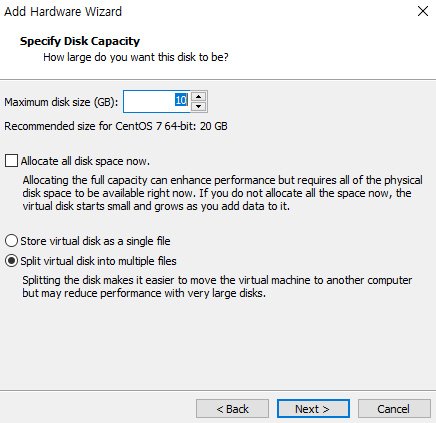
이런 창이 나오게 되는데 여기서 맥시멈 사이즈는 10정도 주고 바로 넘어갑니다.
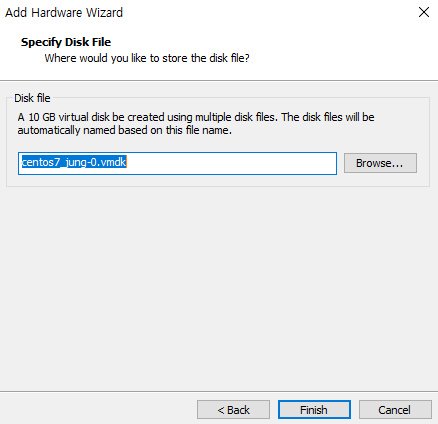
다음으로 이름을 정합니다. FINISH를 눌렀는데 에러가 뜨는경우 이름을 조금만 바꾸면 됩니다.
- 디스크 추가 완료 -
디스크 관련 명령어
df : 디스크사용량을 확인하는 명령어
EX]
tmpfs 1530140 0 1530140 0% /sys/fs/cgroup
/dev/sda2 10475520 33112 10442408 1% /home
df -h : 용량을 사용자가 알아보기 쉬운 형태로 출력
EX]
tmpfs 1.5G 0 1.5G 0% /sys/fs/cgroup
/dev/sda2 10G 33M 10G 1% /home
df -Th : 파일 시스템
EX]
tmpfs tmpfs 1.5G 0 1.5G 0% /sys/fs/cgroup
/dev/sda2 xfs 10G 33M 10G 1% /home
df -ih : inode 의 사용량 출력
EX]
tmpfs 374K 16 374K 1% /sys/fs/cgroup
/dev/sda2 5.0M 17 5.0M 1% /home
df -h /dev/sda5 : /dev/sda5 에 대한 정보만 출력
du [] : 특정 디렉토리에 대한 용량
disk -l : 디스크와 파티션에 대한 정보를 볼 수 있음.
fdisk /dev/sdb : fdsik 안으로 들어가기
a toggle a bootable flag
b edit bsd disklabel
c toggle the dos compatibility flag
d delete a partition
g create a new empty GPT partition table
G create an IRIX (SGI) partition table
l list known partition types
m print this menu
n add a new partition
o create a new empty DOS partition table
p print the partition table
q quit without saving changes
s create a new empty Sun disklabel
t change a partition's system id
u change display/entry units
v verify the partition table
w write table to disk and exit
x extra functionality (experts only)
많은 기능..
'Linux' 카테고리의 다른 글
| Linux_12Day (0) | 2019.05.28 |
|---|---|
| Linux_11Day (0) | 2019.05.27 |
| Linux_09Day (0) | 2019.05.22 |
| Linux_08Day (0) | 2019.05.21 |
| Linux_07Day (0) | 2019.05.20 |